By JW Tool Box
Favicon Size Guide 2026: Exact Dimensions for ICO, PNG, SVG, and Apple Touch Icons
Use this favicon size guide to choose the exact dimensions modern browsers expect, including ICO, PNG, SVG, Apple Touch Icon, PWA icons, and minimal favicon.ico fallbacks.
Why trust this guide
- Written by JW Tool Box around the actual workflow or linked tool on this page.
- Updated when browser behavior, file handling, or platform dimensions change in ways that affect the steps.
- Focused on practical settings, safe defaults, and real tradeoffs instead of generic filler.
If you only need the answer, use this favicon size set for most modern sites: 16x16 and 32x32 inside favicon.ico, a 32x32 PNG for crisp browser tabs, a 180x180 Apple Touch Icon, a 192x192 PWA icon, and a 512x512 PWA icon.
In the early web, a single favicon.ico file was enough. Today that is only the fallback layer. Modern sites usually need a small browser-tab icon, a few PNG assets for higher-density displays, and at least one icon large enough for PWA or launcher use.
If you are still shipping only a blurry 16 px file, the brand signal is weak everywhere it matters: browser tabs, shortcuts, manifests, iPhone home screens, and install prompts.
This guide focuses on the lean set most modern projects actually need.
Favicon Sizes and Dimensions for 2026
| File | Exact recommended size | Why it matters |
|---|---|---|
favicon.ico |
16x16 + 32x32, or multi-size | legacy fallback for classic browser behavior |
favicon-16.png |
16x16 | tiny fallback and older UI surfaces |
favicon-32.png |
32x32 | sharp browser-tab rendering on many desktop setups |
apple-touch-icon.png |
180x180 | iPhone and iPad home screen icon |
icon-192.png |
192x192 | Android / manifest baseline |
icon-512.png |
512x512 | install prompts, high-density launcher use, manifest requirement |
That set is enough for most marketing sites, SaaS dashboards, docs portals, and side projects.
For searchers asking "what size should a favicon be?", the short answer is: ship 32x32 for browser tabs, 180x180 for Apple touch icons, and 192x192 plus 512x512 for web app manifests. Keep favicon.ico as a compatibility fallback, not as your only icon asset.
ICO vs PNG vs SVG
ICO
Still useful as a fallback, especially if you want traditional browser behavior and broad compatibility. A practical favicon.ico should include at least 16x16 and 32x32 layers.
PNG
Still the safest modern workhorse because it is predictable, widely supported, and easy to wire into a manifest or HTML head. Use 32x32, 180x180, 192x192, and 512x512 PNG exports as your baseline.
SVG
Excellent as an additional modern layer when your icon is simple and your stack supports it well, but it should not be the only asset you ship.
Recommended HTML Setup
For many sites, a simple head block like this is enough:
<link rel="icon" href="/favicon.ico" sizes="any">
<link rel="icon" type="image/png" sizes="32x32" href="/icon-32.png">
<link rel="apple-touch-icon" sizes="180x180" href="/apple-touch-icon.png">
<link rel="manifest" href="/site.webmanifest">
If you use a framework like Next.js, Astro, or a CMS theme, follow its icon conventions, but the underlying size needs are still basically the same.
How To Build the Assets Quickly
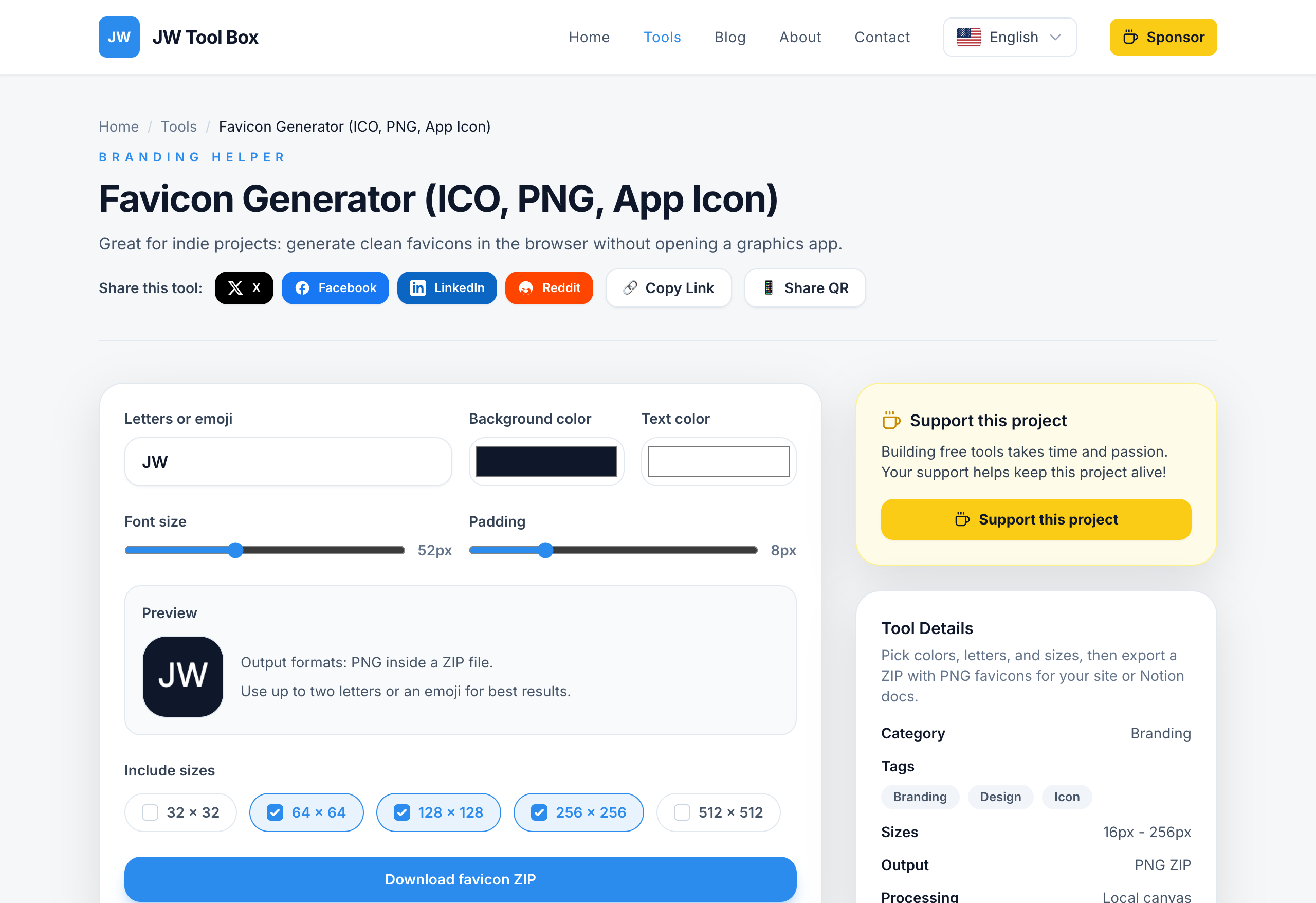
You can prototype the artwork with the Favicon Generator, which exports a ZIP of PNG sizes directly in the browser. From there:
- Start with a high-contrast mark.
- Export the PNG sizes you need.
- If your stack requires
favicon.ico, generate that as a separate build step or with your existing asset pipeline. - Wire the final files into your site head or manifest.
If you are working from a text or emoji-based mark, test the icon at the smallest preview size before you worry about the larger exports.
Common Favicon Mistakes
- using a detailed logo that collapses at 16 to 32 px
- forgetting the Apple touch icon
- shipping only one oversized PNG and assuming every platform will scale it perfectly
- keeping transparent padding that makes the icon look tiny in a browser tab
- never checking the favicon in a real tab after export
Base64 Favicons: Useful, but Not the Whole Strategy
If you want to inline a tiny fallback favicon in HTML, read How to Embed Base64 Favicons in HTML. That can reduce one small request, but it does not replace your Apple touch icon, manifest icons, or normal PNG assets.
What Is the Smallest Valid favicon.ico?
For a real project, the practical answer is still simple: ship a normal favicon.ico that includes at least a 16x16 and 32x32 layer, then add PNG and Apple touch icons for modern devices.
If you are searching for a minimal valid favicon.ico file, small favicon.ico bytes, or a 16x16 favicon base64 fallback, you are usually solving one of two problems:
- You need the tiniest possible legacy fallback for a demo, test page, or generated HTML file.
- You want to inline a tiny icon in the document head to avoid one extra request.
The important distinction is that a minimal favicon.ico is not the same thing as a complete favicon setup. A tiny 16x16 fallback can satisfy legacy browser behavior, but it will still look weak in pinned tabs, app launchers, and install prompts.
If your goal is a minimal valid favicon.ico base64 16x16 setup, use it only as the fallback layer. Keep your normal PNG and manifest assets in place for everything else. The safer pattern is:
<link rel="icon" href="/favicon.ico" sizes="any">
<link rel="icon" type="image/png" sizes="32x32" href="/icon-32.png">
Then, if you really want an inline fallback for experiments or micro-pages, pair this guide with Minimal Valid favicon.ico Examples, grab ready-to-copy hex bytes and Base64 strings from the Minimal favicon.ico Hex Bytes & Base64 guide, or read How to Embed Base64 Favicons in HTML instead of replacing the whole favicon stack.
FAQ
Do I still need favicon.ico?
It is still a sensible fallback, but it is no longer the whole favicon strategy.
What size matters most for modern sites?
180x180, 192x192, and 512x512 are the important modern assets, with 32x32 still useful for desktop tabs.
What is the best favicon size for browser tabs?
Use a crisp 32x32 PNG plus a favicon.ico fallback that includes 16x16 and 32x32 layers.
Do I need 16x16, 32x32, 48x48, and 64x64?
Not always. A multi-size ICO can include extra layers, but most modern sites can start with 16x16 and 32x32 in the ICO, then rely on PNG files for larger touch and PWA icons.
Can I use only SVG?
Not as your only format. SVG is a great extra layer, but PNG assets are still the safer baseline.
Ready to refresh your icon set? Open the Favicon Generator and start with the PNG exports your project actually needs.
About the author
JW Tool Box - Editorial and product review team
JW Tool Box publishes hands-on guides tied directly to the site's browser-based tools. Content is updated when browser behavior, platform rules, or product requirements change in ways that affect real workflows. The goal is to provide practical instructions, tested defaults, and trustworthy reference content instead of thin keyword filler.
Related guides
-
Minimal Valid favicon.ico: Tiny 16x16 Fallbacks, Base64, and Real Examples (2026)
If you are searching for a minimal valid favicon.ico, you usually do not want a full designsystem discussion. You want the smallest setup that still works without breaking browser fallbacks. That is a narrower problem than a normal favicon guide, and the answer is also narrower: a tiny fallback can be valid, but it is not a complete favicon strategy. TL;DR — A minimal favicon setup can be as s…
-
How to Embed Base64 Favicons in HTML (Zero HTTP Requests)
Inlining a favicon with Base64 is one of those optimizations that can be useful in the right place and pointless in the wrong one. It is not a universal requirement, but it can be a clean way to remove one small request for a tiny fallback icon. The important part is understanding what to inline and what not to inline. What a Base64 Favicon Is Base64 encoding turns binary data into text. For f…
Related tools
Additional browser-based utilities that are closely related to this workflow.
-
Favicon Generator (PNG, Multi-Size)
Generate crisp favicon PNGs locally and export a ZIP.
-
Resize Image for Instagram & Facebook (No Quality Loss)
Resize images to exact dimensions and convert to WebP, JPEG, or PNG entirely in your browser.