By JW Tool Box
How to Test and Debug Regex Online (Free Regex Tester + Cheat Sheet 2026)
Why trust this guide
- Written by JW Tool Box around the actual workflow or linked tool on this page.
- Updated when browser behavior, file handling, or platform dimensions change in ways that affect the steps.
- Focused on practical settings, safe defaults, and real tradeoffs instead of generic filler.
In 2026, most developers don't write regular expressions from scratch—they ask an AI to write them. But there's a massive catch: AI-generated regex is notorious for confidently hallucinating edge cases that silently fail in production. A single overly greedy quantifier (.*) suggested by a chatbot can bring down your entire parsing pipeline or cause catastrophic backtracking.
Instead of pasting AI-generated regex directly into your codebase and hoping for the best, you need a dedicated zero-upload environment to verify it against real-world data safely.
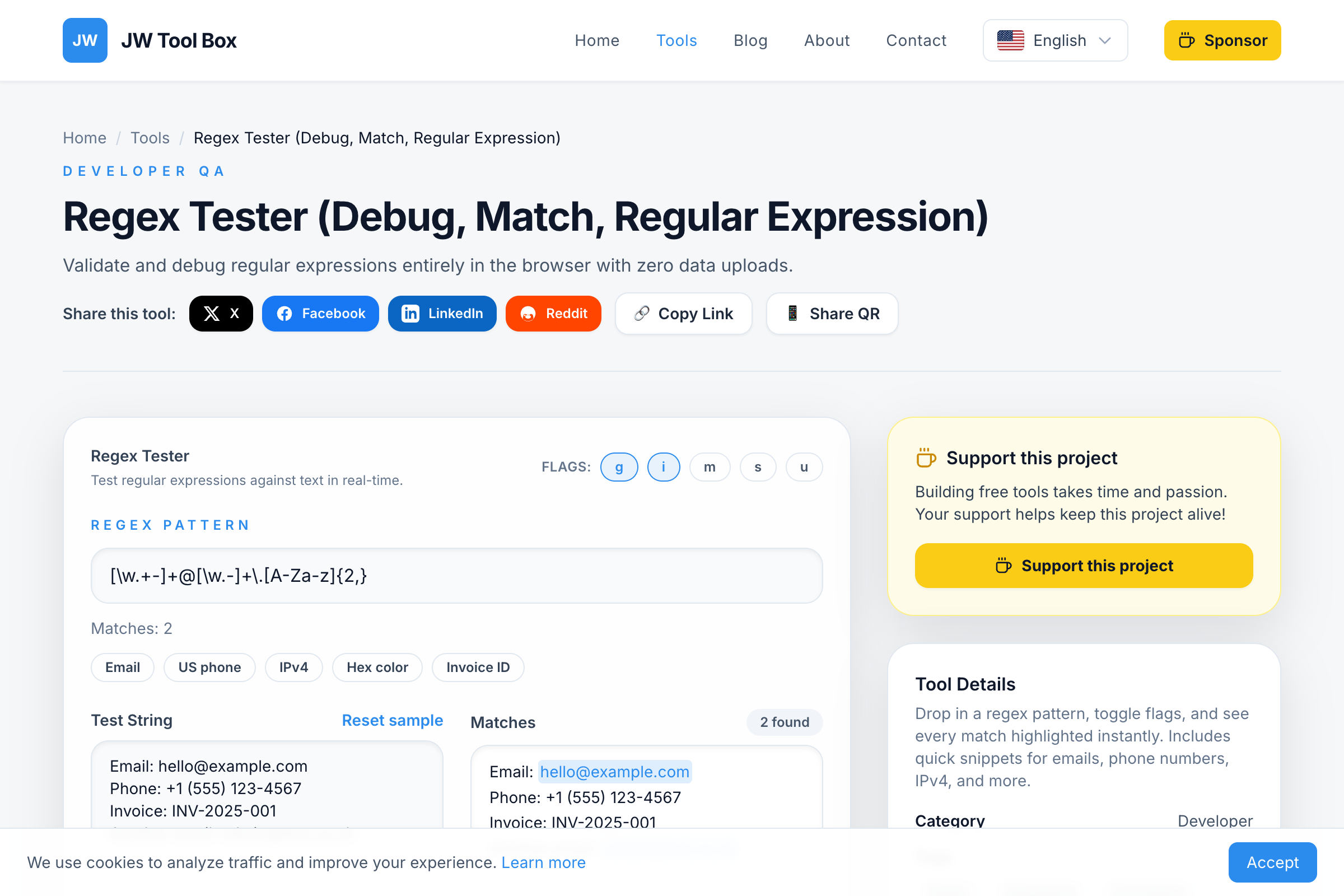
JW Tool Box Regex Tester lets you test, validate, and debug regular expressions entirely in your browser with instant visual feedback.
Why Use an Online Regex Tester?
Instant Visual Feedback
In a code editor, you write a regex, run your script, and check the console output. If it's wrong, you edit and repeat. This cycle is slow.
With our regex tester, every match is highlighted as you type. You see exactly what your pattern captures, making iteration 10x faster.
Test All Flags Without Code Changes
Want to see how multiline mode affects your pattern? In code, you'd need to modify the RegExp constructor and re-run. Here, just toggle a checkbox.
Starter Patterns for Common Use Cases
Don't reinvent the wheel. We provide one-click patterns for:
- Email addresses
- Phone numbers (US format)
- IP addresses (IPv4)
- Hex color codes
- URLs
Regex Basics: A Quick Refresher
If you're rusty on regex syntax, here's a quick reference:
Character Classes
| Pattern | Matches |
|---|---|
\d |
Any digit (0-9) |
\w |
Any word character (a-z, A-Z, 0-9, _) |
\s |
Any whitespace (space, tab, newline) |
. |
Any character except newline |
[abc] |
a, b, or c |
[^abc] |
Any character except a, b, or c |
Quantifiers
| Pattern | Meaning |
|---|---|
* |
0 or more |
+ |
1 or more |
? |
0 or 1 (optional) |
{3} |
Exactly 3 |
{2,5} |
Between 2 and 5 |
Anchors
| Pattern | Position |
|---|---|
^ |
Start of string (or line in multiline mode) |
$ |
End of string (or line in multiline mode) |
\b |
Word boundary |
Real-World Regex Examples
1. Validate Email Addresses
^[a-zA-Z0-9._%+-]+@[a-zA-Z0-9.-]+\.[a-zA-Z]{2,}$
This pattern matches:
user@example.com✅first.last@company.co.uk✅invalid@❌
2. Extract Phone Numbers (US Format)
\(?\d{3}\)?[-.\s]?\d{3}[-.\s]?\d{4}
This matches:
(555) 123-4567✅555.123.4567✅5551234567✅
3. Match URLs
https?:\/\/(www\.)?[-a-zA-Z0-9@:%._\+~#=]{1,256}\.[a-zA-Z0-9()]{1,6}\b([-a-zA-Z0-9()@:%_\+.~#?&//=]*)
Handles both HTTP and HTTPS with optional query parameters.
4. Find Hex Color Codes
#([A-Fa-f0-9]{6}|[A-Fa-f0-9]{3})
Matches:
#FF5733✅#fff✅#12345G❌ (G is not a valid hex character)
5. Password Strength Validation
^(?=.*[a-z])(?=.*[A-Z])(?=.*\d)(?=.*[@$!%*?&])[A-Za-z\d@$!%*?&]{8,}$
Requires:
- At least 8 characters
- One uppercase letter
- One lowercase letter
- One number
- One special character
Understanding Regex Flags
Flags modify how the pattern is interpreted:
| Flag | Name | Effect |
|---|---|---|
g |
Global | Find all matches, not just the first |
i |
Case Insensitive | A matches a and A |
m |
Multiline | ^ and $ match line starts/ends, not just string |
s |
DotAll | . matches newlines too |
u |
Unicode | Proper handling of emoji and non-ASCII characters |
Common Regex Mistakes
Mistake 1: Forgetting to Escape Special Characters
Characters like ., *, ?, +, (, ), [, ], {, }, |, \, ^, $ have special meanings. To match them literally, escape with a backslash:
// Wrong: matches any character
price.99

// Right: matches "price.99"
price\.99
Mistake 2: Greedy vs. Lazy Quantifiers
By default, * and + are "greedy"—they match as much as possible.
// Input: <div>Hello</div><div>World</div>
// Pattern: <div>.*</div>
// Matches: ENTIRE string (greedy)
Add ? to make it lazy:
// Pattern: <div>.*?</div>
// Matches: <div>Hello</div> (stops at first </div>)
Mistake 3: Not Anchoring the Pattern
Without anchors, your pattern matches anywhere in the string:
// Pattern: \d{3}
// Input: "Phone: 555-123-4567"
// Matches: 555, 123, 456 (3 matches!)
If you want to match the whole string, use anchors:
^\d{3}$ // Only matches if the entire string is exactly 3 digits
Privacy: Your Patterns Stay Local
Some online regex testers log your patterns and test strings on their servers. This is a problem when testing patterns that contain:
- Sensitive data formats (SSN, credit cards)
- Proprietary log patterns
- Internal API response structures
JW Tool Box Regex Tester runs entirely in your browser using JavaScript's native RegExp engine. Nothing is sent to any server.
Frequently Asked Questions
How can I test a regex online for free?
Simply visit our free regex tester, paste your pattern in the regex field, and add your test text. Matches highlight instantly with no signup required.
What is the best online regex tester?
A good regex tester should offer: live highlighting, flag toggles (g, i, m, s, u), capture group display, and privacy (local processing). Our tool includes all these features for free.
How do I validate an email address with regex?
Use this pattern: ^[a-zA-Z0-9._%+-]+@[a-zA-Z0-9.-]+\.[a-zA-Z]{2,}$. Test it in our regex tester with sample emails to verify it works for your use case.
Why isn't my regex matching anything?
Common issues: forgetting to escape special characters (\. instead of .), missing the global flag for multiple matches, or anchors (^$) preventing partial matches.
Can I use this regex tester for Python/Java/PHP?
Our tester uses JavaScript's regex engine. Most basic patterns work across languages, but some features (lookbehind, named groups) may differ. Always test in your target language too.
Is regex case sensitive by default?
Yes. Add the i flag to make it case-insensitive. In our tester, just click the "i" button to toggle this setting.
How do I match a phone number with regex?
For US format: \(?\d{3}\)?[-.\s]?\d{3}[-.\s]?\d{4}. This matches (555) 123-4567, 555-123-4567, and 5551234567.
Test Your Regex Now
Stop guessing whether your pattern works. Open the Free Regex Tester, paste your pattern, and see every match highlighted instantly.
Related tools:
- JSON Formatter – Format JSON data before extracting with regex
- Text Diff Checker – Compare before/after text when refining patterns
About the author
JW Tool Box - Editorial and product review team
JW Tool Box publishes hands-on guides tied directly to the site's browser-based tools. Content is updated when browser behavior, platform rules, or product requirements change in ways that affect real workflows. The goal is to provide practical instructions, tested defaults, and trustworthy reference content instead of thin keyword filler.
Related guides
-
Regex Tester & Debugger Guide 2026: New Engine Features + Privacy-Safe Testing
TL;DR — 2026 brought Unicode set notation (v flag), reliable lookbehind across browsers, and named capture group duplicates. Test all of it without uploading production data in our browserbased Regex Tester. If you write code for a living, you've stared at something like ^([azAZ09\\.]+)@([azAZ09\\.]+)\.([azAZ]{2,5})$ wondering why it won't match an email you know is valid. Regex is powerful. D…
Related tools
Additional browser-based utilities that are closely related to this workflow.
-
JSON Formatter & Validator (Minify, Beautify, Fix JSON)
Pretty-print, minify, or validate JSON documents instantly.
-
Text Diff Checker (Compare, Highlight, Difference)
Highlight differences between two blocks of text in seconds.
-
Regex Tester: Test & Debug Regular Expressions Online
Test regex patterns, see matches highlighted in real time, and debug regular expressions — all in your browser.