By JW Tool Box
Pomodoro vs. Deep Work: How a Simple Countdown Timer Boosts Productivity
Use Pomodoro for short bursts, Deep Work for complex tasks, and a simple timer to make either system repeatable.
Why trust this guide
- Written by JW Tool Box around the actual workflow or linked tool on this page.
- Updated when browser behavior, file handling, or platform dimensions change in ways that affect the steps.
- Focused on practical settings, safe defaults, and real tradeoffs instead of generic filler.
People usually frame productivity as a tool problem. In practice it is more often a structure problem. If a task has no defined working window, it expands until you feel guilty, distracted, or exhausted.
That is why both Pomodoro and Deep Work still hold up. They are just two different ways of timeboxing attention.
Pomodoro: Short Cycles With Clear Recovery
Pomodoro is best when you need help getting started or staying consistent across repetitive work. The classic structure is simple:
- Work for 25 minutes
- Take a 5 minute break
- Repeat
- After 4 rounds, take a longer break
Why it works:
- it lowers the mental barrier to starting
- it creates a finish line for unpleasant tasks
- it forces breaks before your attention collapses
Good fit:
- inbox cleanup
- studying flashcards or drills
- administrative work
- bug triage
- homework sessions where momentum matters more than depth
Deep Work: Longer Blocks for Hard Problems
Deep Work is the better choice when the task is cognitively expensive and context-heavy. If you are writing, coding, designing, planning, or solving something unfamiliar, 25 minutes can disappear before your brain is fully loaded into the problem.
Typical Deep Work sessions last 60 to 120 minutes, sometimes longer if the environment is stable.
Good fit:
- drafting articles
- coding new features
- architecture planning
- research synthesis
- preparing talks or complex deliverables
Which One Should You Use?
You do not need to pick one forever. The more useful question is: what type of task am I doing right now?
| Situation | Better choice | Why |
|---|---|---|
| You are procrastinating on a boring task | Pomodoro | short start-up cost |
| You keep getting interrupted | Pomodoro | resets are easier |
| You need flow for writing or coding | Deep Work | longer uninterrupted runway |
| You are mentally tired late in the day | Pomodoro | easier to sustain |
| You have one high-value creative block | Deep Work | fewer switches |
For many people the best system is hybrid:
- use Pomodoro for shallow or unpleasant tasks
- use Deep Work for core creative output
- use a short timer for breaks so recovery does not sprawl
The Timer Matters More Than the App Store
You do not need a subscription productivity suite to make timeboxing work. In fact, complex apps often become another thing to configure, dismiss, or ignore.
Our Online Countdown Timer is designed for simple focus blocks:
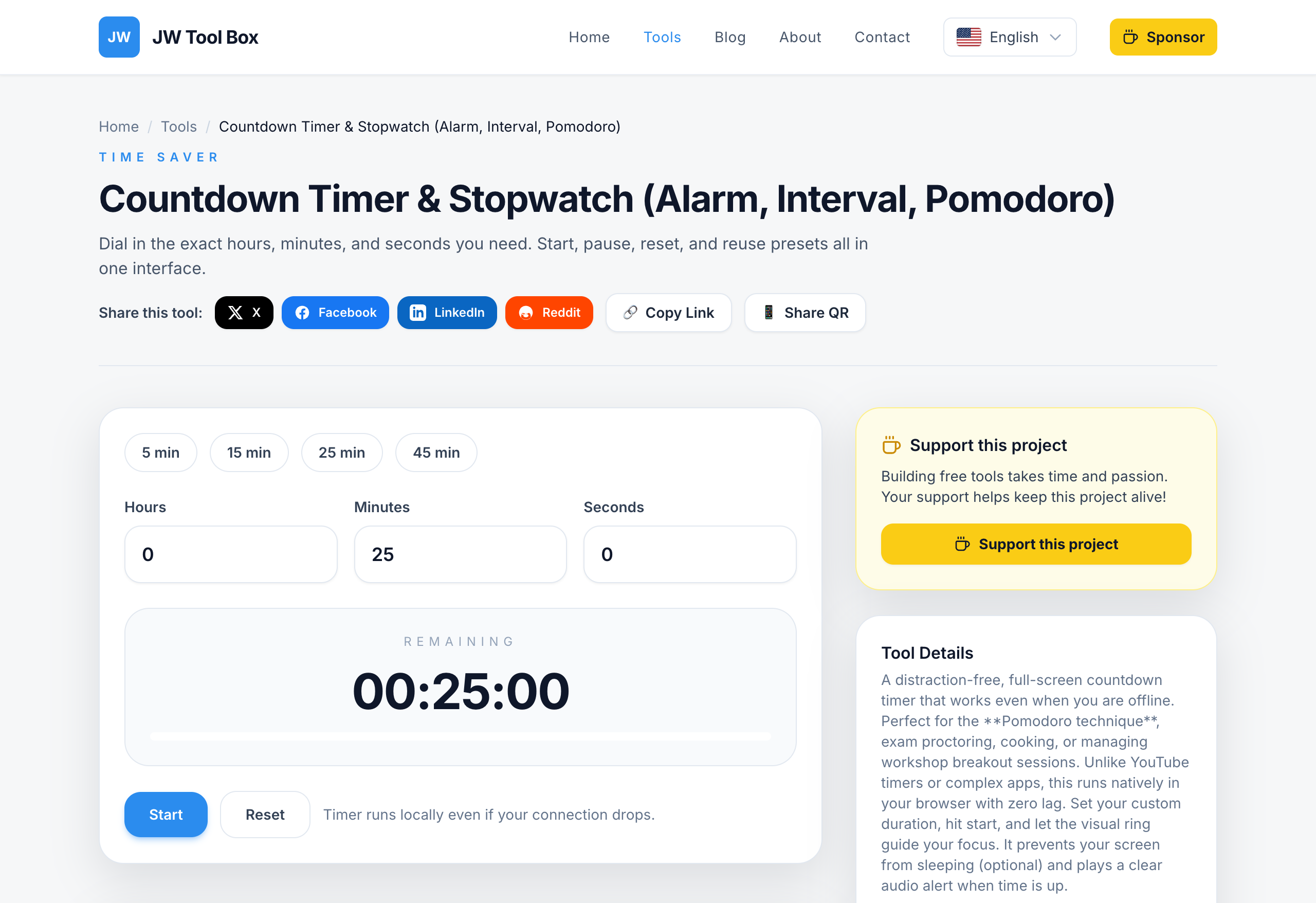
- Preset-friendly: quick 5, 15, 25, and 45 minute options make common blocks frictionless
- Visible at a glance: the large countdown keeps time pressure obvious without adding clutter
- Local and simple: no account, no sync setup, no extra workflow to maintain
If you also need the screen to stay awake during a study session, kitchen timer workflow, or presentation, pair it with Keep Screen On.
Sample Focus Setups
Pomodoro setup for admin work
- 25 minutes work
- 5 minutes break
- repeat 4 times
- take a 15 to 20 minute break
Deep Work setup for writing or coding
- 90 minutes focused work
- 10 to 15 minutes break
- one short reset
- another 60 to 90 minute block if needed
Hybrid day
- morning Deep Work block for your most valuable task
- midday Pomodoro cycles for follow-up tasks and communication
- late-day short timer blocks for cleanup and planning
Common Failure Modes
- using Pomodoro for work that needs uninterrupted problem solving
- planning a 3-hour Deep Work session without removing distractions first
- checking messages during breaks and never returning cleanly
- picking a timer app with too many unrelated features
Pro Tip: The 5-Minute Rule
If you are avoiding a task completely, do not negotiate with yourself about the whole project. Set five minutes on the Countdown Timer and begin. Very often the real obstacle is not the task. It is the first minute.
FAQ
Is Pomodoro better than Deep Work?
Neither is universally better. Pomodoro is better for starting and pacing. Deep Work is better for complexity and flow.
What timer length should I use for Deep Work?
Most people do well with 60 to 90 minutes. Longer only works if your environment is genuinely interruption-free.
Do I need a dedicated app?
No. A simple browser timer is usually enough, especially if the goal is fewer distractions rather than more features.
About the author
JW Tool Box - Editorial and product review team
JW Tool Box publishes hands-on guides tied directly to the site's browser-based tools. Content is updated when browser behavior, platform rules, or product requirements change in ways that affect real workflows. The goal is to provide practical instructions, tested defaults, and trustworthy reference content instead of thin keyword filler.
Related tools
Additional browser-based utilities that are closely related to this workflow.
-
Countdown Timer & Stopwatch (Alarm, Interval, Pomodoro)
Set shareable countdowns for launches, workouts, or study blocks.
-
World Clock (Time Zones, Local, Meeting Planner)
See the current time across major cities and plan meetings easily.
-
Screen Wake Lock (Prevent Sleep, Always On)
Prevent your screen from dimming on Google Meet, Zoom, or while presenting.