By JW Tool Box
Days Calculator: Count Days Between Dates, Add Days & Plan Deadlines (2026)
Free online days calculator to find the exact number of days between two dates, add or subtract days/weeks/months, and plan deadlines. Runs locally in your browser.
Why trust this guide
- Written by JW Tool Box around the actual workflow or linked tool on this page.
- Updated when browser behavior, file handling, or platform dimensions change in ways that affect the steps.
- Focused on practical settings, safe defaults, and real tradeoffs instead of generic filler.
How many days between two dates? What date is 90 days from now? When does a 60-day notice period end?
TL;DR — Use the Days Calculator to count days between any two dates or find a future/past date by adding days, weeks, or months. Instant, free, handles leap years automatically. Open the calculator →
Whether you call it a days calculator, date counter, date-to-date calculator, or calendar calculator—it all comes down to the same two operations: measuring time spans and projecting dates. This guide shows you how to do both effortlessly.
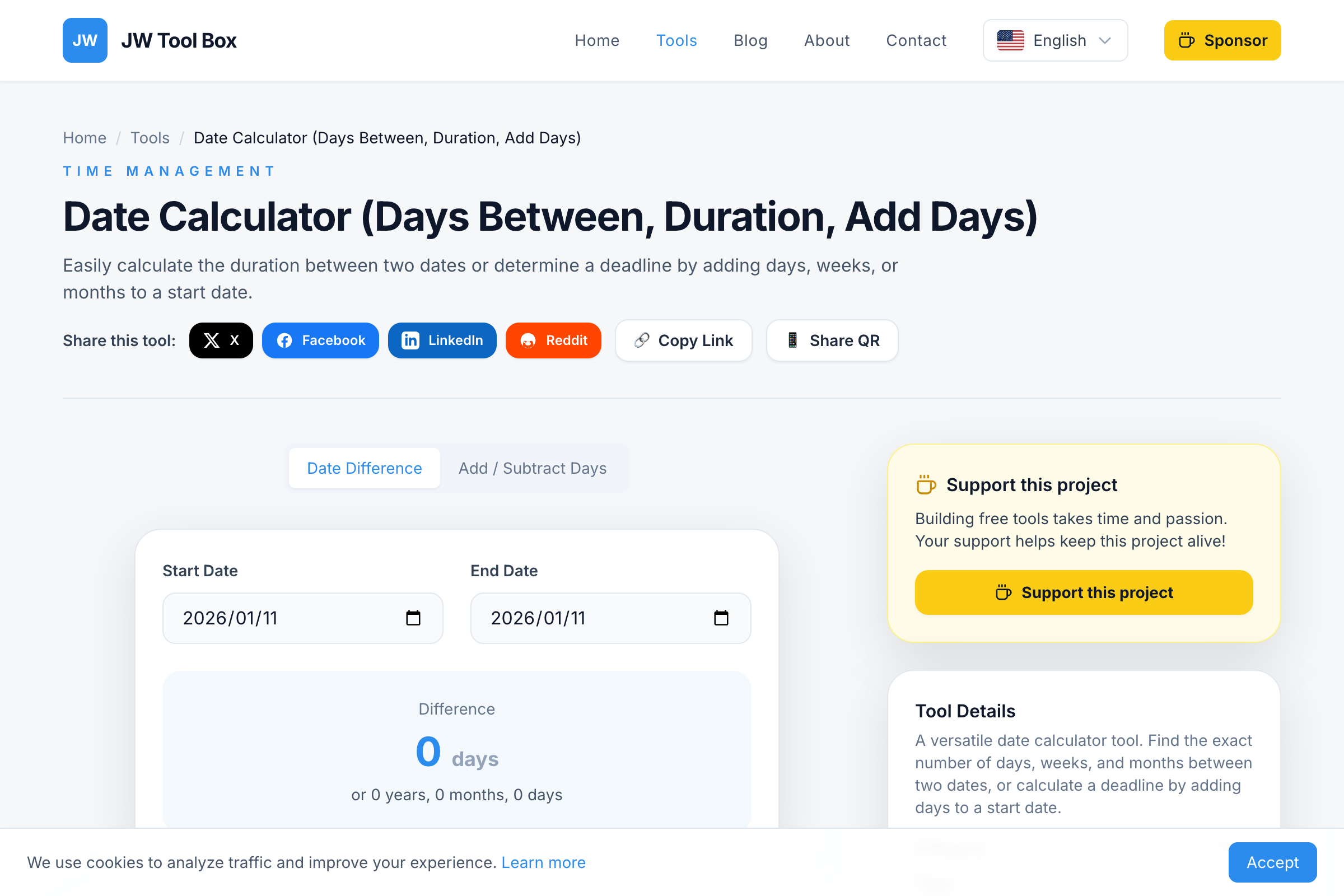
Two Modes: Date Difference & Date Projection
Mode 1: Count Days Between Two Dates
Select a start date and an end date. The calculator instantly shows:
- Total calendar days between the dates
- Weeks and remaining days (e.g., 14 weeks + 3 days)
- Years, months, and days breakdown (e.g., 2 years, 4 months, 12 days)
This is the "date counter" mode—enter two dates, get the distance between them.
Common uses:
- How many days until a deadline or event
- Duration of a contract, lease, or subscription
- Time between two historical events
- Days since a particular date (e.g., days since last payment)
Mode 2: Add or Subtract Days from a Date
Pick a starting date, enter a number of days (or weeks, or months), and choose to add or subtract. The calculator returns the exact resulting date.
This is the "day calculator" or "calendar calculator" mode—project forward or backward in time.
Common uses:
- "What date is 90 days from today?" → Contract deadlines, billing cycles
- "What date is 40 weeks from now?" → Due date estimation
- "What was the date 100 days ago?" → Backtrack for record-keeping
- "When does a 14-day return window end?" → Retail and e-commerce
Step-by-Step: How to Use the Days Calculator
Counting Days Between Dates
- Open the Date Calculator
- Select your start date from the calendar picker
- Select your end date
- Read the result instantly—total days, weeks breakdown, and full year/month/day decomposition
Projecting a Future or Past Date
- Switch to Add/Subtract mode
- Choose your reference date (today or any date)
- Enter the amount and unit (days, weeks, months, or years)
- Toggle between add (future) or subtract (past)
- The target date appears instantly
No sign-up, no server processing. The calculator runs entirely in your browser using JavaScript's native Date object.
Real-World Scenarios
Project Management
Your client says the deliverable is due "45 days from contract signing." The contract was signed March 10, 2026. Open the calculator → base date: March 10 → add 45 days → result: April 24, 2026. No ambiguity, no miscounting.
Legal and Contract Work
A 60-day notice period starts on January 15. When does it end? Add 60 days → March 16, 2026. The calculator handles the fact that February has 28 days (or 29 in a leap year) automatically.
Pregnancy and Medical
A due date is typically 40 weeks (280 days) from the first day of the last menstrual period. Enter the date → add 280 days → get the estimated due date. Faster and more reliable than counting on a paper calendar.
Billing Cycles
Your subscription renews every 30 days. When's the next charge? "Next billing date" questions are trivially solved with the add-days mode.
Event Countdowns
How many days until Christmas, New Year, a wedding, or a vacation? Enter today and the target date → get an exact countdown. Pair this with the Countdown Timer if you want a live on-screen counter.
Historical and Personal
- How many days have you been alive? Enter your birthday and today's date.
- How many days between D-Day (June 6, 1944) and the Moon landing (July 20, 1969)? Answer: 9,175 days.
- How many days since you started your current job?
Quick Reference: Common Date Calculations
| Duration | Calendar Days | Notes |
|---|---|---|
| 1 week | 7 | |
| 2 weeks | 14 | Common pay period |
| 1 month | 28–31 | Varies by month |
| 30 days | 30 | Standard "month" in contracts |
| 45 days | 45 | Common due diligence window |
| 60 days | 60 | Standard notice period |
| 90 days | 90 | Quarterly cycle, probation period |
| 6 months | 181–184 | Depends on which months |
| 1 year | 365 (366 leap) | |
| 10 years | 3,652–3,653 | Including 2–3 leap years |
Pro tip: When contracts say "30 days," they almost always mean calendar days, not business days. But always confirm—the difference can be significant (30 calendar days ≈ 22 business days).
Leap Years, Month Lengths, and Why Manual Counting Fails
The Gregorian calendar is surprisingly irregular:
- February: 28 days (29 in leap years: every 4 years, except centuries not divisible by 400)
- April, June, September, November: 30 days
- January, March, May, July, August, October, December: 31 days
Counting "60 days from January 10" by hand means remembering that January has 31 days (so 21 days left in January), February has 28 (or 29), and then counting into March. One mistake in any step and you're off by a day or more.
The Date Calculator uses your browser's built-in Date object, which implements the complete Gregorian calendar with full leap-year logic. The math is always correct, regardless of how many month boundaries you cross.
Tips for Accurate Date Planning
- Calendar days vs. business days — Most legal and financial timelines use calendar days. Always verify which type your deadline uses.
- "From" vs. "on" — "30 days from March 1" could mean March 31 or April 1 depending on whether you count the start date. Clarify with stakeholders.
- Buffer time — For project deadlines, add 10–20% buffer. A 90-day project usually benefits from a 100-day timeline.
- Time zones — If you're coordinating across time zones, "end of day March 15" means different clock times. This calculator works on dates, not times.
- Write specific dates — Instead of "due in 2 weeks," write "due April 7, 2026." Removes ambiguity entirely.
Days Calculator FAQ
Does it handle leap years?
Yes, perfectly. The calculator uses your browser's native JavaScript Date object, which correctly accounts for February 29 in leap years (2024, 2028, etc.) and all Gregorian calendar rules.
Does the "days between" count include the start or end date?
The calculation measures the duration—the number of day boundaries crossed. January 1 to January 2 = 1 day. If your use case requires including both dates, add 1 to the result.
Can I calculate business days (weekdays only)?
The current version calculates total calendar days. A business-days mode that excludes weekends and public holidays is on our roadmap.
What's the date range limit?
You can enter dates from year 100 AD to year 9999. This covers everything from historical research to long-term planning.
Does it work on mobile?
Yes. The tool works in any modern browser—Chrome, Safari, Firefox—on both desktop and mobile phones.
Is this a date counter or a day calculator?
Both. The tool operates in two modes: (1) count the days between two dates (date counter), and (2) add or subtract days/weeks/months to find a target date (day calculator).
Related Tools
- Age Calculator — Calculate your exact age in years, months, and days
- Countdown Timer — Set a live countdown to any event or deadline
- Date Calculator — The tool itself: count days, add days, plan deadlines
Stop guessing. Open the Days Calculator, enter your dates, and get an exact answer in under 5 seconds.
About the author
JW Tool Box - Editorial and product review team
JW Tool Box publishes hands-on guides tied directly to the site's browser-based tools. Content is updated when browser behavior, platform rules, or product requirements change in ways that affect real workflows. The goal is to provide practical instructions, tested defaults, and trustworthy reference content instead of thin keyword filler.
Related tools
Additional browser-based utilities that are closely related to this workflow.
-
Countdown Timer & Stopwatch (Alarm, Interval, Pomodoro)
Set shareable countdowns for launches, workouts, or study blocks.
-
Days Calculator: Count Days Between Dates & Add Days
Count days between two dates, add days to find a future date, or calculate deadlines instantly.
-
Age Calculator (Years, Months, Days + Next Birthday)
Find exact age and days to the next birthday for any target date.