By JW Tool Box
Free Barcode Generator Online: EAN-13, UPC, CODE128 Tool (2026)
Create professional barcodes for products and labels with our free online generator tool. Supports EAN-13, UPC, CODE128, CODE39, ITF-14, and more, all processed locally in your browser.
Why trust this guide
- Written by JW Tool Box around the actual workflow or linked tool on this page.
- Updated when browser behavior, file handling, or platform dimensions change in ways that affect the steps.
- Focused on practical settings, safe defaults, and real tradeoffs instead of generic filler.
If you need a barcode quickly, the hard part is usually not drawing the bars. It is picking the right format and testing it in the real workflow before you print 500 labels.
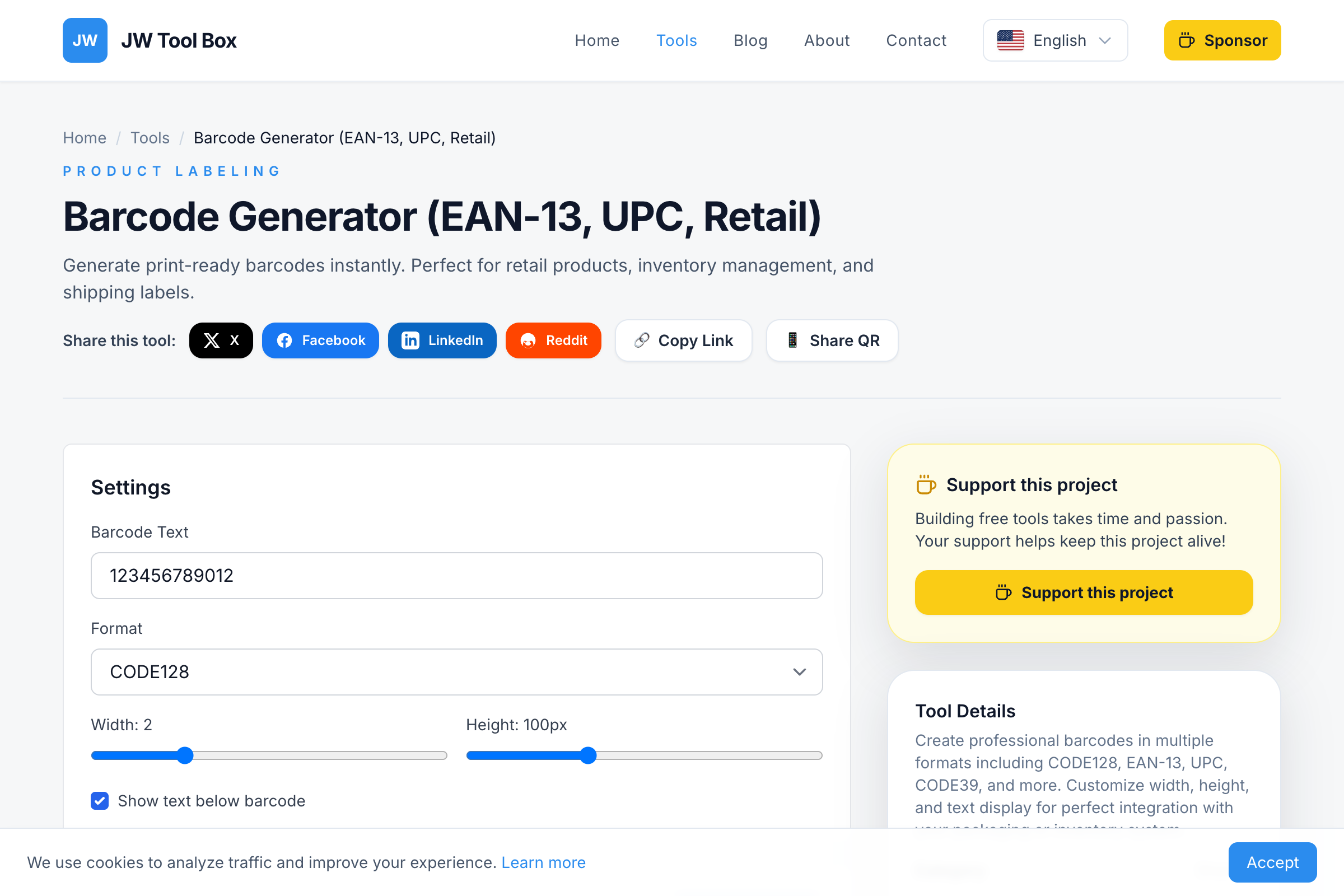
That is where the Barcode Generator is useful. It lets you generate common formats locally in the browser, download a PNG, and test before you commit.
The First Decision: Retail or Internal Use?
Before you type anything into the tool, decide whether the code is for:
- retail distribution, where the number may need to come from a registered source such as GS1
- internal operations, where you control the numbering system yourself
That one distinction prevents most barcode mistakes.
Supported Barcode Formats
Our generator supports the most widely-used barcode standards:
| Format | Digits | Use Case |
|---|---|---|
| EAN-13 | 13 | Retail products (Europe, worldwide) |
| UPC-A | 12 | Retail products (North America) |
| CODE128 | Variable | Shipping, logistics, ID cards |
| CODE39 | Variable | Industrial, military, healthcare |
| ITF-14 | 14 | Shipping cartons, outer packaging |
| MSI | Variable | Inventory, warehouse management |
| Pharmacode | Variable | Pharmaceutical packaging |
Which Format Should You Pick?
EAN-13 and UPC
These are the formats most people associate with store shelves and product packaging.
- EAN-13 is the safer choice for many international retail contexts
- UPC-A is common in North American retail
If you plan to sell through established retail channels or marketplaces, do not assume any random number will do. The artwork may scan, but the number source still matters.
CODE128
CODE128 is usually the better choice for:
- warehouse labels
- internal inventory
- shipping workflows
- asset tracking
- operational labels that need letters and numbers
It is flexible, dense, and practical when you control the system.
How to Create a Barcode
- Open the Tool: Go to the Barcode Generator
- Select Format: Choose the barcode type you need
- Enter Value: Type your product number or code
- Customize: Adjust width, height, and text display
- Download: Save the PNG image for printing
A Better Print-Test Workflow
- Generate the code in the required format.
- Download the PNG.
- Print one sample at the actual intended label size.
- Scan it with the real device that will be used in production.
- Adjust width, height, or label layout only after that test.
This matters because a barcode can look correct on screen and still fail in the real world due to print size, contrast, label material, or scanner distance.
Why Barcodes Fail To Scan
- insufficient white space on the left and right
- printing too small for the intended scanner distance
- low contrast, such as colored bars on tinted paper
- stretching or scaling the artwork after export
- using the wrong format for the receiving workflow
- entering a value that does not match the format's expected structure
Size and Placement Basics
- Keep generous white margins around the code.
- Do not place barcodes over folds, curves, or seams if you can avoid it.
- Print a little larger if the scanner will be used at arm's length or farther away.
- For packaging, test on the real material because glossy surfaces and curved bottles behave differently than plain paper.
Retail vs QR Codes
Barcodes and QR codes solve different problems.
| Need | Better tool |
|---|---|
| product identification or stock labels | barcode |
| URL, menu, payment link, sign-in flow | QR code |
| retail packaging | barcode |
| marketing campaign or scan-to-visit workflow | QR code |
If you actually need a landing-page or marketing scan, use the QR Code Generator instead.
FAQ
Can I use a generated barcode commercially?
Yes, but commercial retail use still depends on using the correct numbering source for the sales channel. Generating the image is not the same as registering a product identifier.
Why does my barcode scan on my phone but not on the store scanner?
Phone cameras are often more forgiving than dedicated scanners. Always test with the actual hardware used in the workflow.
What is the quiet zone?
It is the empty white margin on both sides of the barcode. Without it, scanners struggle to detect where the code begins and ends.
Can I change the barcode color?
You can, but black on white is still the safest choice for reliable scanning.
EAN-13 vs UPC: Quick Comparison
| Feature | EAN-13 | UPC-A |
|---|---|---|
| Digits | 13 | 12 |
| Primary region | Europe, Asia, worldwide | North America |
| Compatibility | UPC scanners can read EAN-13 | Most modern scanners read both |
| Registration | GS1 (global) | GS1 US |
If you are selling internationally, EAN-13 is often the safer planning assumption. If you are working inside a North American retail-specific requirement, UPC may be the expected format.
Create a test label first, then verify with the Barcode Generator before the real print run.
About the author
JW Tool Box - Editorial and product review team
JW Tool Box publishes hands-on guides tied directly to the site's browser-based tools. Content is updated when browser behavior, platform rules, or product requirements change in ways that affect real workflows. The goal is to provide practical instructions, tested defaults, and trustworthy reference content instead of thin keyword filler.
Related guides
-
Product Barcode Generator Guide 2026: UPC vs EAN-13 vs ITF-14 for Labels and Cartons
TL;DR Use UPCA or EAN13 for retail unit products, ITF14 for outer cartons and case packs, and CODE128 for internal operations. If you just need to generate and test the artwork, start with the Barcode Generator. If the code will be used in retail, make sure the underlying number is valid for that sales channel. If you are searching for a product barcode generator, you probably do not need a l…
Related tools
Additional browser-based utilities that are closely related to this workflow.
-
QR Code Generator (High Quality, Privacy, No Limits)
Create high-contrast, scan-friendly QR codes for URLs, Wi-Fi, and text instantly.
-
Barcode Generator: Create EAN-13, UPC, and Code 128
Free EAN code generator and standard barcode maker (CODE128, EAN-13, UPC).
-
QR Code Scanner (Camera + Image, Offline)
Scan QR codes with your camera or an uploaded image—fully offline and private.