By JW Tool Box
How to Make a Custom Receipt for Work Online (Free & Realistic)
Lost a receipt? Learn how to generate a realistic custom receipt or invoice replacement instantly with our free online tool—no Photoshop required.
Why trust this guide
- Written by JW Tool Box around the actual workflow or linked tool on this page.
- Updated when browser behavior, file handling, or platform dimensions change in ways that affect the steps.
- Focused on practical settings, safe defaults, and real tradeoffs instead of generic filler.
Losing a receipt for a work expense or reimbursement is a common headache. Whether the thermal paper faded, you misplaced the physical copy, or you simply need a digital backup for your records, creating a replacement receipt (often searched as a "fake receipt") can save the day.
While we never encourage fraud, there are valid reasons to reconstruct a lost receipt:
- Reimbursements: Replacing a lost slip for a legitimate business expense.
- Record Keeping: Creating a digital copy for expenses where no receipt was provided (e.g., cash taxi rides).
- Props: Designing realistic receipts for theater, film, or prank gifts.
Here is a simple guide on how to create a high-quality receipt using our free Receipt Maker.
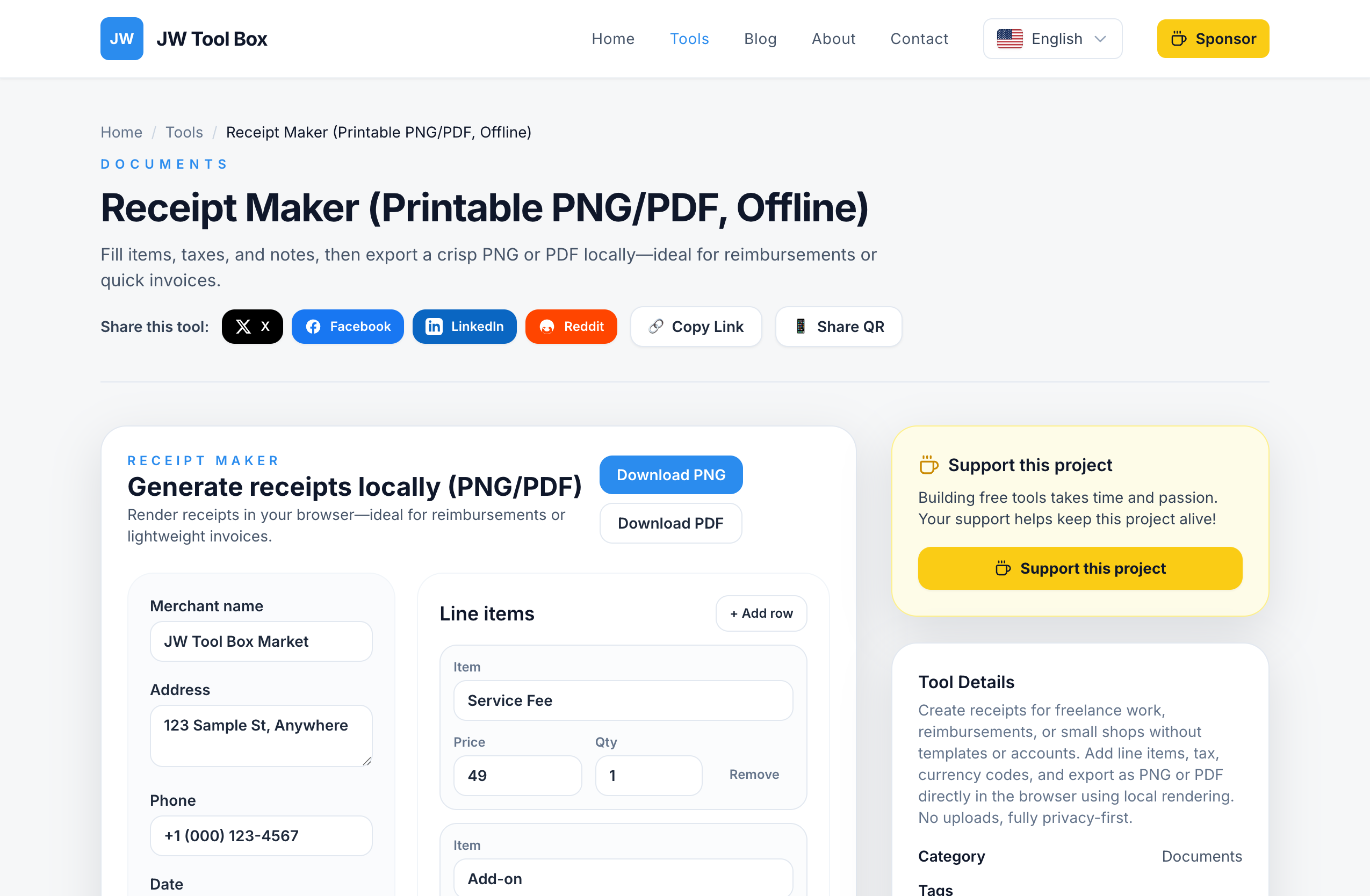
Step 1: Use a Free Online Receipt Maker
You don't need Photoshop or complex software. The JW Tool Box Receipt Maker allows you to generate professional-looking receipts directly in your browser.
- Navigate to the tool: Open the Receipt Maker.
- Enter Merchant Details: Fill in the shop name, address, and phone number. Use the details from your credit card statement if you are reconstructing a lost purchase.
- Set the Date: Match the date to your transaction time.
- Add Line Items: List the items you purchased. You can add multiple rows, set quantities, and adjust unit prices.
- Configure Tax: Enter the local tax rate (e.g., 8.875% for NYC) to make the total accurate.
Step 2: Customize Currency and Footer
To make the receipt look authentic:
- Currency: Enter the correct ISO code (e.g.,
USD,EUR,GBP). The tool automatically formats symbols like$or€. - Footer Message: Add standard phrases like "Thank you for your business!" or "Customer Copy".
Step 3: Export as PNG or PDF
Once your receipt looks right:
- Download PNG: Best for sharing via email or messaging apps.
- Download PDF: Best for printing or attaching to formal expense reports.
The tool generates vector-based PDFs, ensuring the text remains crisp when printed.
Why Use This Tool?
Unlike many "fake receipt generators" that spam you with ads or watermark your image, the JW Tool Box Receipt Maker is:
- 100% Free: No hidden costs.
- Watermark-Free: Professional clean output.
- Private: All data is processed locally in your browser; nothing is uploaded to our servers.
Frequently Asked Questions
Is it illegal to make a fake receipt?
Creating a receipt for a transaction that actually happened (e.g., replacing a lost receipt) is generally acceptable for internal records, but using a fake receipt to claim money you didn't spend is fraud. Always use this tool ethically and responsibly.
Can I change the logo?
Currently, this tool focuses on a standard, clean receipts format universally used by many point-of-sale systems. It does not support custom logo uploads to maintain simplicity and speed.
How do I print it on thermal paper?
Export as PDF, then print using a thermal printer if available. The high contrast black-and-white design is optimized for thermal printing.
About the author
JW Tool Box - Editorial and product review team
JW Tool Box publishes hands-on guides tied directly to the site's browser-based tools. Content is updated when browser behavior, platform rules, or product requirements change in ways that affect real workflows. The goal is to provide practical instructions, tested defaults, and trustworthy reference content instead of thin keyword filler.
Related tools
Additional browser-based utilities that are closely related to this workflow.
-
PDF Compressor (Reduce Size, Shrink, Optimize)
Shrink PDF size with browser-only rasterization and quality presets.
-
Image Cropper (PNG/JPEG/WebP, No Upload)
Crop, rotate, and export images locally with social-friendly aspect ratios.
-
Receipt Maker (Printable PNG/PDF, Offline)
Generate clean receipts or lightweight invoices in your browser with custom lines and taxes.