By JW Tool Box
How to Generate Strong Passwords Free Online (Secure Password Generator 2026)
Stop using "Password123". Learn how to generate cryptographically strong passwords instantly in your browser.
Why trust this guide
- Written by JW Tool Box around the actual workflow or linked tool on this page.
- Updated when browser behavior, file handling, or platform dimensions change in ways that affect the steps.
- Focused on practical settings, safe defaults, and real tradeoffs instead of generic filler.
Secure your accounts with our Strong Password Generator. Data breaches are happening more frequently than ever. The first line of defense for your digital life is a strong, unique password for every account. But coming up with random strings of characters on your own is difficult, and humans are notoriously bad at being random.
The Strong Password Generator in JW Tool Box makes it easy to create secure credentials in seconds.
Why Length Matters More Than Complexity
For years, we were told to use "complex" passwords like P@$w0rd. However, modern cracking algorithms can guess these patterns easily.
Security experts now recommend length as the most important factor. A 16-character password made of random letters and numbers is exponentially harder to crack than an 8-character password with symbols.
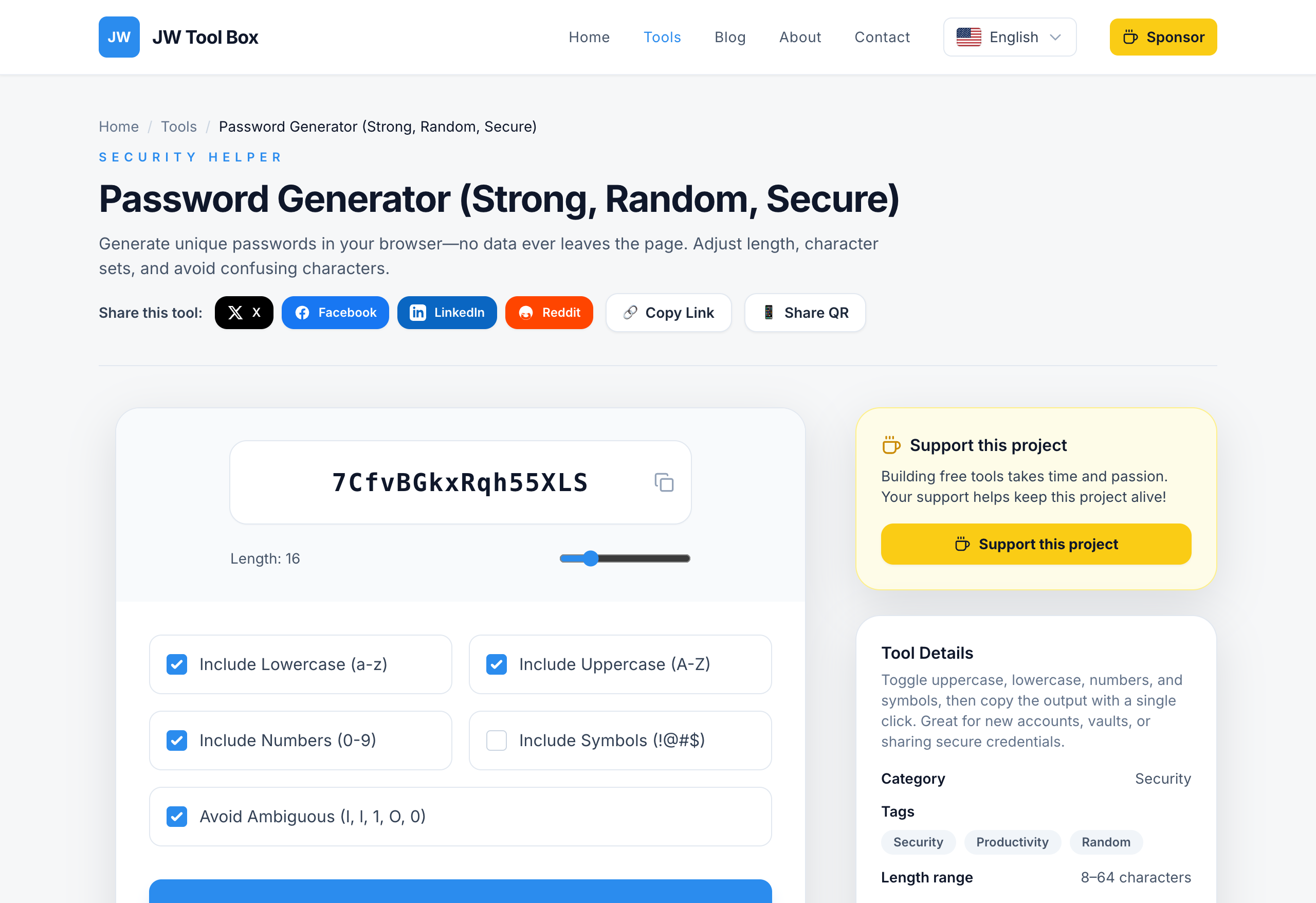
How to Use the Generator
- Open the Tool: Go to the Password Generator.
- Set the Length: Slide the bar to at least 16 characters for high security.
- Choose Characters:
- Uppercase & Lowercase: Keep these checked.
- Numbers: Essential for entropy.
- Symbols: Recommended, but some legacy websites might not accept them.
- Avoid Ambiguous Characters: If you need to type the password manually (e.g., on a TV remote), check this box to remove confusing letters like
I,l,1,O, and0. - Copy: Click the copy button and paste it directly into your password manager.
Security Note
Our password generator runs entirely on your device using the crypto.getRandomValues() API, which is the gold standard for web security. The passwords you generate are never sent to our servers or stored in any logs. You can even disconnect from the internet and the tool will still work perfectly.
Protect your accounts today by updating your weak passwords with strong, random ones.
About the author
JW Tool Box - Editorial and product review team
JW Tool Box publishes hands-on guides tied directly to the site's browser-based tools. Content is updated when browser behavior, platform rules, or product requirements change in ways that affect real workflows. The goal is to provide practical instructions, tested defaults, and trustworthy reference content instead of thin keyword filler.