By JW Tool Box
How to URL Encode Links for UTM Tracking & SEO (Free Tool + Guide 2026)
Why trust this guide
- Written by JW Tool Box around the actual workflow or linked tool on this page.
- Updated when browser behavior, file handling, or platform dimensions change in ways that affect the steps.
- Focused on practical settings, safe defaults, and real tradeoffs instead of generic filler.
Have you ever clicked a link in an email only to get a "Page Not Found" error? Or noticed your UTM tracking parameters mysteriously disappearing from Google Analytics? The culprit is almost always improper URL encoding.
TL;DR — URL encoding converts special characters (spaces,
&,=,#) into percent-encoded format so they don’t break your links. Spaces become%20, ampersands become%26. Only encode the values inside query parameters, never the full URL. Encode or decode any URL instantly →
JW Tool Box URL Encoder helps you encode and decode URLs instantly, right in your browser—no server uploads, no privacy concerns.
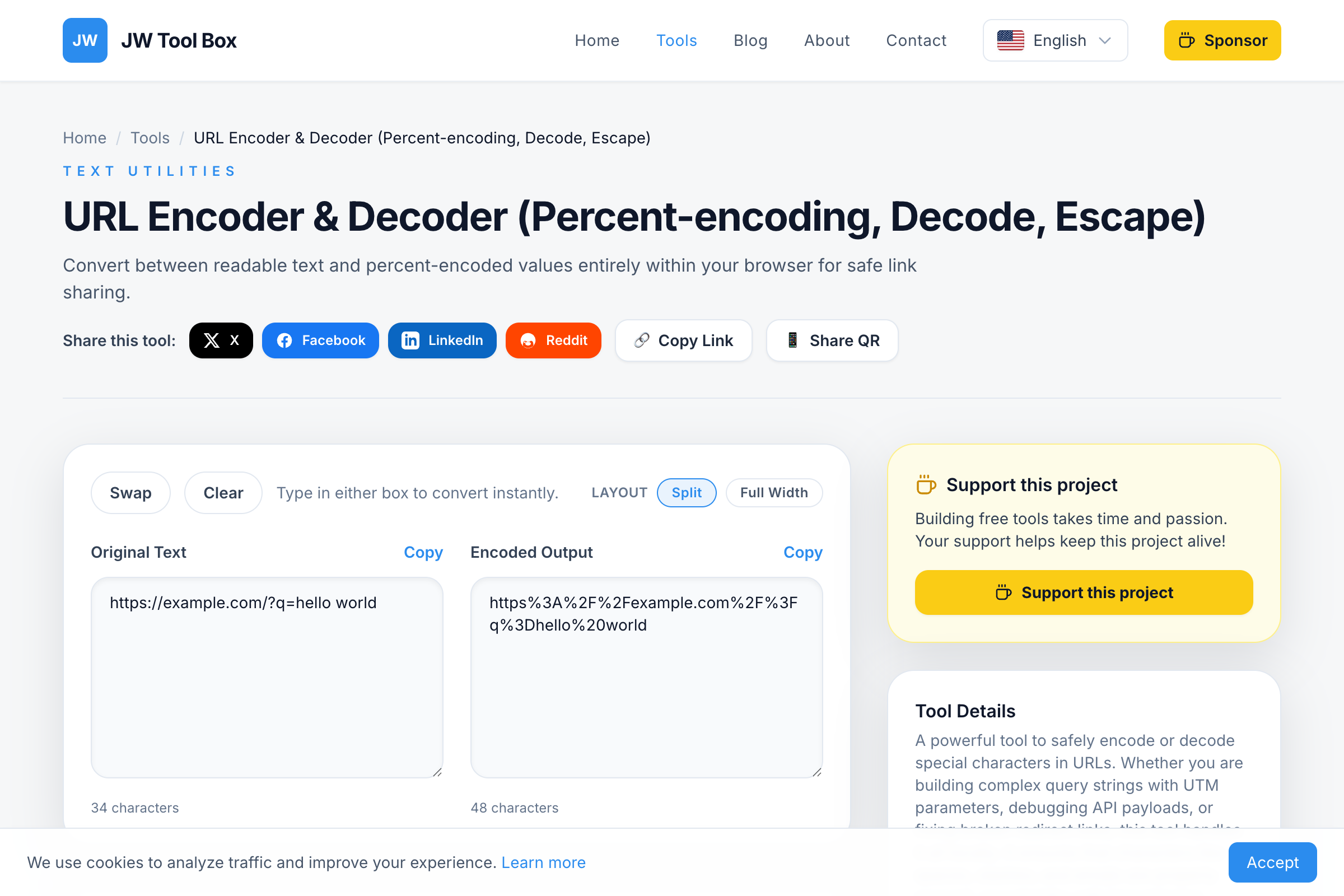
What is URL Encoding (Percent-Encoding)?
URL encoding, also called percent-encoding, converts special characters into a format that can be safely transmitted over the internet. Since URLs can only contain a limited set of characters (letters, numbers, and a few special symbols), everything else must be "escaped."
Common encodings you'll see:
| Character | Encoded |
|---|---|
| Space | %20 |
& |
%26 |
= |
%3D |
/ |
%2F |
? |
%3F |
# |
%23 |
When Do You Need to Encode URLs?
1. Building UTM Tracking Links
If you're running marketing campaigns, you use UTM parameters to track traffic sources. But what if your campaign name contains spaces or special characters?
Wrong:
https://example.com/?utm_source=facebook&utm_campaign=Summer Sale 2025
The space in "Summer Sale 2025" will break the URL. Most browsers will cut off everything after "Summer".
Correct:
https://example.com/?utm_source=facebook&utm_campaign=Summer%20Sale%202025
2. Nested URLs in Redirects
Sometimes you need to put a full URL inside another URL (common in OAuth flows, email redirects, or affiliate links):
Scenario: You want to redirect users to https://example.com/?next=https://dashboard.example.com/welcome
Problem: The ? and / in the nested URL confuse the server.
Solution: Encode the nested URL:
https://example.com/?next=https%3A%2F%2Fdashboard.example.com%2Fwelcome
3. Debugging API Requests
When working with REST APIs, query parameters often contain encoded values. If you're seeing something like this in your logs:
?search=hello%20world%26category%3Dbooks
Use the decoder to reveal the actual query:
?search=hello world&category=books
%20 vs + for Spaces: What's the Difference?
You might notice that some URLs use %20 for spaces while others use +. Here's the rule:
%20: Standard percent-encoding for spaces in path segments and query values. This is the safest, most universal option.+: An older convention fromapplication/x-www-form-urlencodedformat, commonly used in HTML form submissions.
Our tool uses %20 by default because it works everywhere—paths, query strings, and fragments.
Common URL Encoding Mistakes
Mistake 1: Double Encoding
If you encode an already-encoded URL, you'll get something like:
https%253A%252F%252Fexample.com
(%25 is the encoding for %). This creates broken links that no browser can understand.
Mistake 2: Encoding the Entire URL
Don't encode https://example.com/page. Only encode the values within query parameters:
https://example.com/page?q=ENCODE_THIS_PART
Mistake 3: Forgetting Hash Fragments
The # symbol is often used for anchor links or client-side routing. If you need to pass a URL containing # as a parameter, encode it as %23:
?redirect=https://example.com/page%23section-2
Privacy Matters: Why Local-Only Processing?
Many online URL encoders send your data to their servers. This is a privacy risk, especially if you're working with:
- API keys or tokens
- User PII (email addresses, names)
- Internal dashboard URLs
JW Tool Box URL Encoder runs entirely in your browser using JavaScript's built-in encodeURIComponent() and decodeURIComponent() functions. Your data never leaves your device.
Quick Reference: Characters That Need Encoding
| Safe (No Encoding Needed) | Unsafe (Must Encode) |
|---|---|
| A-Z, a-z, 0-9 | Spaces |
- _ . ~ |
& = ? # / : @ ! $ |
Frequently Asked Questions
How do I URL encode a string online?
Simply paste your text into our free URL encoder tool and it will instantly convert special characters to percent-encoded format. No registration or download required.
What is the difference between encodeURI and encodeURIComponent?
encodeURI() is for encoding complete URLs (preserves :, /, ?, #), while encodeURIComponent() encodes everything including those characters. Use encodeURIComponent() for query parameter values.
Why are my UTM parameters not showing in Google Analytics?
Common causes include: unencoded spaces in campaign names, ampersands (&) inside values, or special characters like #. Always URL encode your UTM parameter values before adding them to links.
Is this URL encoder tool really free?
Yes, our URL encoder is 100% free with no limits, no signup, and no ads. It runs entirely in your browser, so your data stays private.
Can I decode a URL that's already encoded?
Yes! Just paste the encoded URL (with %20, %3D, etc.) into the decoder field and it will convert back to readable text instantly.
Try It Now
Stop guessing whether your links are properly encoded. Open the Free URL Encoder, paste your URL, and see the result instantly.
Related tools:
- QR Code Generator – Create QR codes for your properly encoded URLs
- Base64 Encoder – Encode binary data for URLs and APIs
About the author
JW Tool Box - Editorial and product review team
JW Tool Box publishes hands-on guides tied directly to the site's browser-based tools. Content is updated when browser behavior, platform rules, or product requirements change in ways that affect real workflows. The goal is to provide practical instructions, tested defaults, and trustworthy reference content instead of thin keyword filler.
Related tools
Additional browser-based utilities that are closely related to this workflow.
-
QR Code Generator (High Quality, Privacy, No Limits)
Create high-contrast, scan-friendly QR codes for URLs, Wi-Fi, and text instantly.
-
URL Encoder & Decoder (Percent-encoding, Decode, Escape)
Encode or decode URL strings instantly. Fix broken links and debug query parameters.