By JW Tool Box
How to Calculate Monthly Mortgage Payments (With Taxes & Insurance)
Why trust this guide
- Written by JW Tool Box around the actual workflow or linked tool on this page.
- Updated when browser behavior, file handling, or platform dimensions change in ways that affect the steps.
- Focused on practical settings, safe defaults, and real tradeoffs instead of generic filler.
Plan your home purchase with our Mortgage Calculator. Buying a home is one of the biggest financial decisions you'll ever make. While the listing price gives you a ballpark figure, your actual monthly payment involves much more than just paying back the loan. To truly understand what you can afford, you need to calculate your PITI: Principal, Interest, Taxes, and Insurance.
What is PITI?
PITI stands for the four main components of a monthly mortgage payment:
- Principal: The portion of your payment that goes toward paying down the loan balance.
- Interest: The cost of borrowing the money, paid to the lender.
- Taxes: Property taxes assessed by your local government.
- Insurance: Homeowners insurance to protect your property against damage.
Many first-time homebuyers focus solely on the principal and interest, only to be surprised when the final monthly bill is hundreds of dollars higher due to taxes and insurance.
Why You Need a Mortgage Calculator
Doing the math manually for a 30-year fixed-rate mortgage is complex. You need to account for the amortization schedule, which shifts the balance between principal and interest over time. Plus, adding annual tax and insurance rates into a monthly breakdown adds another layer of math.
A dedicated mortgage calculator simplifies this instantly. It allows you to play with different variables—like putting more money down or securing a lower interest rate—to see how they impact your monthly budget.
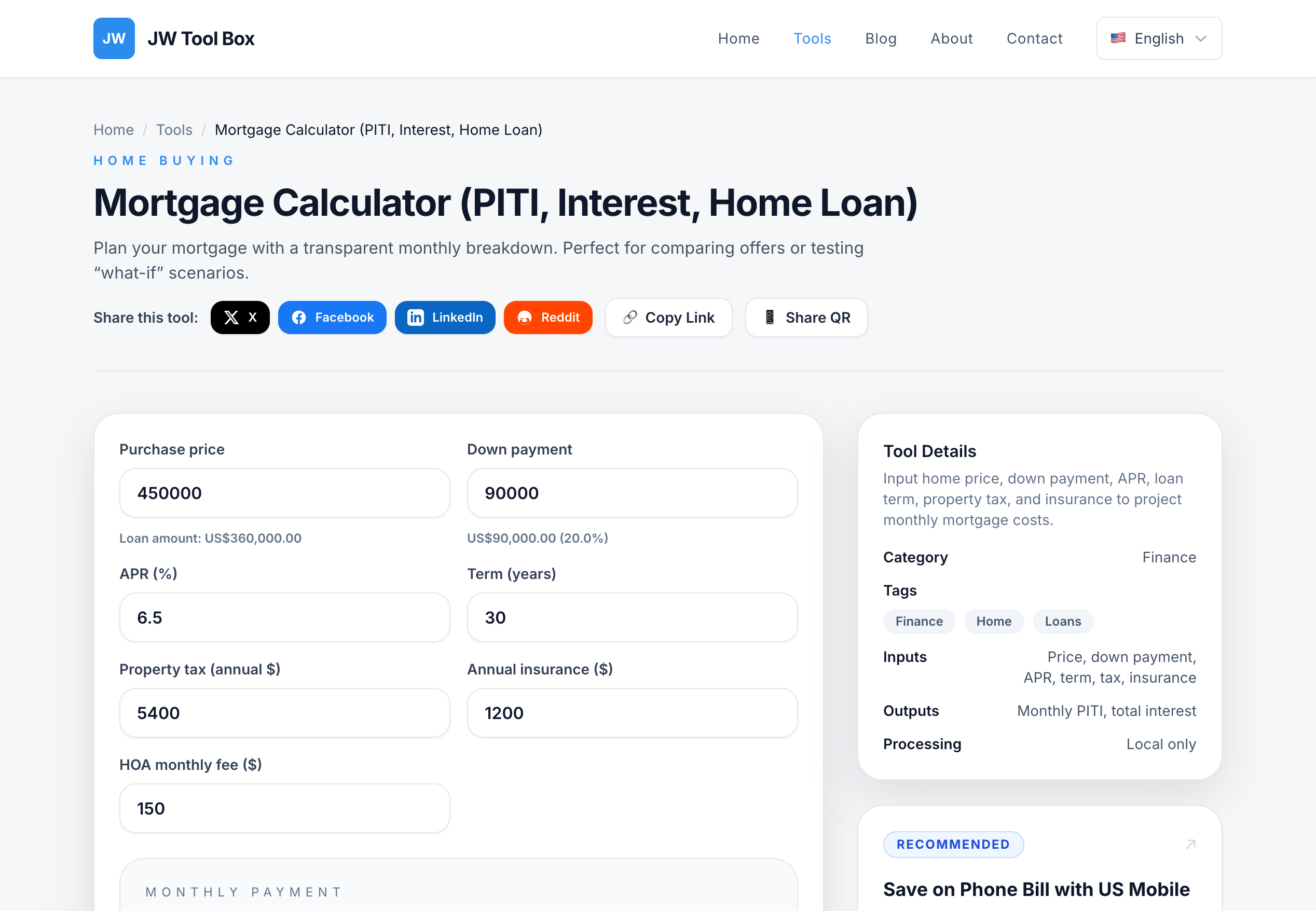
How to Use the JW Tool Box Mortgage Calculator
Our Mortgage Calculator is designed to give you a complete picture of your monthly costs. Here is how to use it:
- Enter Home Price: Input the total cost of the property.
- Down Payment: Enter the amount you plan to pay upfront. The tool will automatically calculate the loan amount.
- Interest Rate: Input your expected annual interest rate (APR).
- Loan Term: Choose how long you will be paying the loan (usually 15 or 30 years).
- Taxes & Insurance: Enter the estimated annual property tax and homeowners insurance costs.
Analyzing the Results
Once you hit calculate, you will see a clear breakdown:
- Monthly Payment: Your total estimated payment.
- Total Interest: How much you will pay in interest over the life of the loan.
- Total Cost: The sum of all payments (Principal + Interest).
By adjusting the "Down Payment" or "Interest Rate" fields, you can see how small changes can save you thousands of dollars over the long run. For example, a slightly higher down payment might lower your monthly obligation significantly and reduce the total interest paid.
Conclusion
Don't let hidden costs catch you off guard. Use our Mortgage Calculator to get a realistic estimate of your future housing expenses. Planning ahead with accurate numbers is the key to stress-free homeownership.
About the author
JW Tool Box - Editorial and product review team
JW Tool Box publishes hands-on guides tied directly to the site's browser-based tools. Content is updated when browser behavior, platform rules, or product requirements change in ways that affect real workflows. The goal is to provide practical instructions, tested defaults, and trustworthy reference content instead of thin keyword filler.
Related tools
Additional browser-based utilities that are closely related to this workflow.
-
Mortgage Calculator (PITI, Interest, Home Loan)
Estimate home payments with principal, interest, taxes, and insurance.