By JW Tool Box
Free SQL Formatter Online: Beautify MySQL, PostgreSQL & Oracle Queries (2026)
Transform messy SQL queries into clean, readable code with our free SQL formatter. Supports all major databases and formats instantly in your browser.
Why trust this guide
- Written by JW Tool Box around the actual workflow or linked tool on this page.
- Updated when browser behavior, file handling, or platform dimensions change in ways that affect the steps.
- Focused on practical settings, safe defaults, and real tradeoffs instead of generic filler.
If you've ever copied SQL code from a production database or received an unformatted query from a colleague, you know the pain: a single line of text stretching hundreds of characters, impossible to debug or understand.
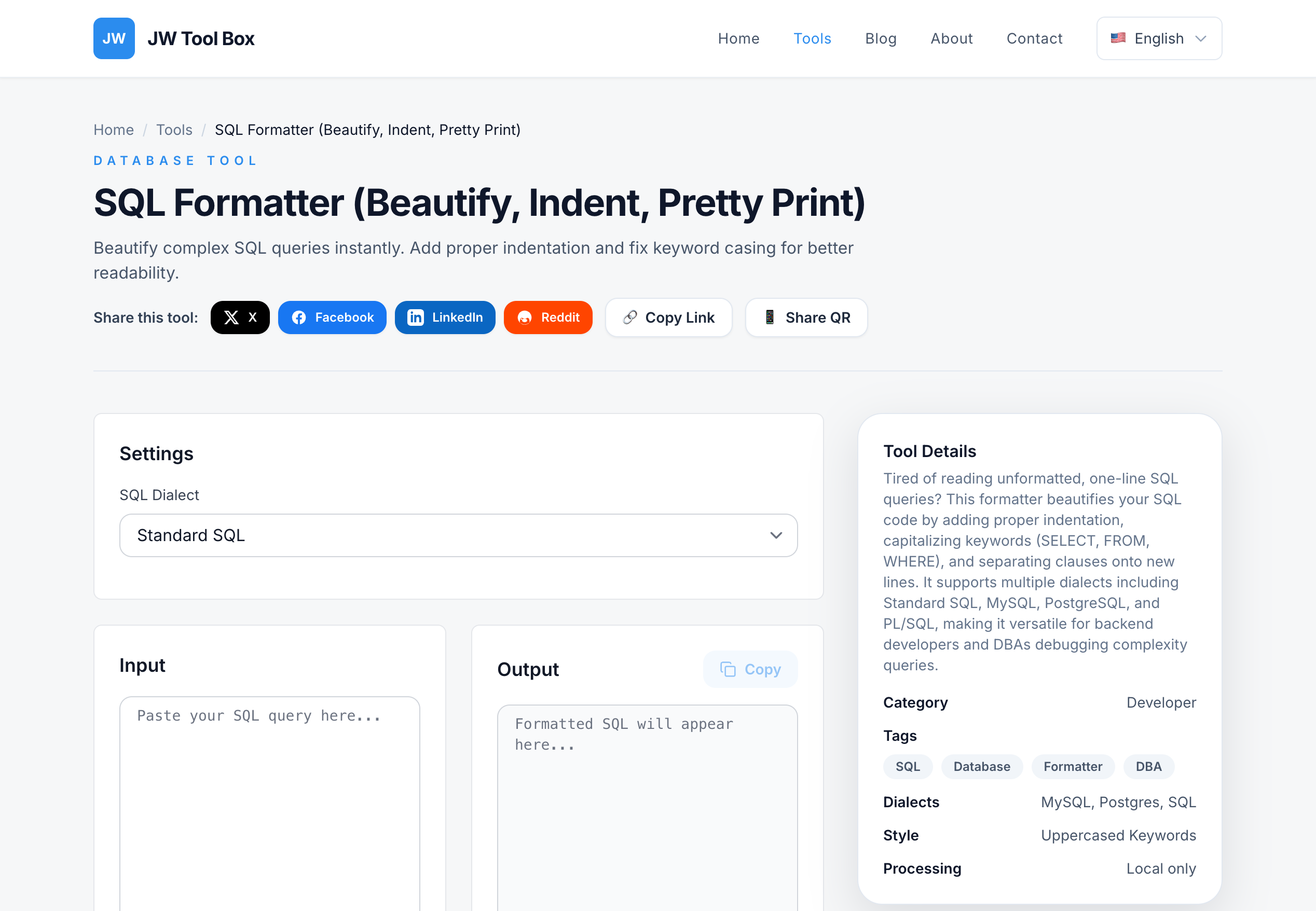
Stop squinting at messy SQL. Use our SQL Formatter to beautify queries in seconds—completely free, no signup required.
Why SQL Formatting Matters
Clean, well-formatted SQL isn't just about aesthetics. It directly impacts:
1. Code Review Efficiency
When reviewing pull requests or database changes, formatted SQL helps reviewers spot:
- Missing JOIN conditions
- Inefficient subqueries
- Logic errors in WHERE clauses
Before formatting:
SELECT u.id,u.name,o.order_id,o.total FROM users u INNER JOIN orders o ON u.id=o.user_id WHERE o.status='completed' AND o.created_at>='2026-01-01';
After formatting:
SELECT
  u.id,
  u.name,
  o.order_id,
  o.total
FROM users u
INNER JOIN orders o
  ON u.id = o.user_id
WHERE
  o.status = 'completed'
  AND o.created_at >= '2026-01-01';
2. Debugging Speed
Formatted queries make it easy to:
- Identify which table each column belongs to
- Spot typos in column names
- Trace complex JOIN logic
3. Team Collaboration
Consistent formatting across your team's codebase means:
- Fewer merge conflicts in version control
- Easier onboarding for new developers
- Reduced "code style" debates
What Makes Our SQL Formatter Different?
Unlike desktop IDEs that require installation, our browser-based tool offers:
✅ Instant Formatting – No loading delays, no file uploads
✅ All Major Databases – MySQL, PostgreSQL, Oracle, SQL Server, SQLite
✅ Privacy First – Your queries never leave your browser
✅ Free Forever – No hidden paywalls or trial limits
✅ Copy-Paste Workflow – Format, copy, done
How to Use the SQL Formatter
Step 1: Copy your messy SQL query from wherever it lives (log files, production DB, email, Slack messages).
Step 2: Visit the SQL Formatter.
Step 3: Paste your query into the input box. The tool instantly formats it.
Step 4: Click the "Copy" button and paste it into your IDE, documentation, or ticket.
That's it. No account creation, no email verification, no credit card.
Supported SQL Dialects
Our formatter intelligently handles syntax variations across:
MySQL & MariaDB
- Backtick identifiers:
`table_name` LIMITclauses- MySQL-specific functions (
CONCAT_WS,GROUP_CONCAT)
PostgreSQL
- Double quote identifiers:
"column_name" RETURNINGclauses- Array operators:
ANY,ALL
Oracle Database
ROWNUMandFETCH FIRSTsyntax- PL/SQL anonymous blocks
- Hierarchical queries with
CONNECT BY
SQL Server (T-SQL)
- Square bracket identifiers:
[Table Name] TOPclauses- Window functions:
OVER (PARTITION BY ...)
SQLite
- Simplified syntax for embedded databases
Common SQL Formatting Patterns
Pattern 1: SELECT Statement Formatting
-- Each column on its own line
SELECT
  column1,
  column2,
  CASE
    WHEN condition THEN value1
    ELSE value2
  END AS computed_column
FROM table_name;
Pattern 2: JOIN Formatting
-- JOIN keywords left-aligned, conditions indented
SELECT *
FROM orders o
INNER JOIN customers c
  ON o.customer_id = c.id
LEFT JOIN shipments s
  ON o.id = s.order_id
WHERE o.status = 'pending';
Pattern 3: WHERE Clause Formatting
-- Each condition on its own line with logical operators
WHERE
  category = 'Electronics'
  AND price > 100
  AND (
    stock_quantity > 0
    OR backorder_allowed = TRUE
  );
SQL Formatter vs. Manual Formatting
| Method | Time to Format | Consistency | Learning Curve |
|---|---|---|---|
| Manual | 5-10 minutes | Low (varies by developer) | Medium |
| IDE Plugin (e.g., VS Code) | 1-2 seconds | High | Medium (requires setup) |
| Our Tool | Instant | High | None |
Why developers choose our tool:
- No IDE dependency (works in any browser)
- No configuration files to maintain
- Perfect for quick one-off formatting
- Ideal for non-developers (analysts, DBAs, PMs)
When to Format SQL Queries
Before Code Review
Clean SQL makes reviewers happy. Format before pushing to Git.
When Debugging Production Issues
Paste error logs into the formatter to quickly identify the problematic query.
During Database Migrations
Format your ALTER TABLE and CREATE INDEX statements for better documentation.
When Documenting APIs
Include formatted SQL examples in your API documentation or Confluence pages.
After SQL Log Analysis
Export queries from slow query logs, format them, and share with your team.
Best Practices for SQL Formatting
1. Uppercase Keywords, Lowercase Identifiers
SELECT user_id FROM orders WHERE status = 'paid';
This makes keywords stand out visually.
2. Indent Subqueries
SELECT *
FROM (
  SELECT customer_id, SUM(total) AS revenue
  FROM orders
  GROUP BY customer_id
) AS customer_revenue
WHERE revenue > 10000;
3. Align Comparison Operators
WHERE
  created_at >= '2026-01-01'
  AND updated_at <= '2026-12-31';
4. Use Line Breaks for Long Lists
INSERT INTO products (
  id,
  name,
  price,
  category,
  stock_quantity
) VALUES (
  101,
  'Wireless Mouse',
  29.99,
  'Electronics',
  50
);
SQL Formatting for Different Use Cases
For Data Analysts
- Quickly format queries from Jupyter notebooks
- Clean up SQL generated by BI tools (Tableau, Power BI)
- Prepare queries for stakeholder reports
For Backend Developers
- Format ORM-generated SQL for debugging
- Clean up raw SQL in legacy codebases
- Prepare migration scripts for production
For Database Administrators
- Format slow query log entries
- Document database schema changes
- Create readable backup scripts
For Technical Writers
- Include clean SQL examples in tutorials
- Format queries for API documentation
- Create database guides for non-technical users
Alternatives and Why You Don't Need Them
Commercial SQL Formatters ($):
Tools like SQL Prompt, ApexSQL Refactor charge $100-500/year. Our tool is free and covers 95% of use cases.
Desktop Applications:
SQL Formatter Plus, DB Formatter require installation and updates. Our browser tool always works, no maintenance.
IDE Extensions:
VS Code and IntelliJ have SQL plugins, but they require:
- Specific IDE installation
- Configuration files
- Workspace setup
Our tool works anywhere: phone, tablet, Chromebook.
Command-Line Tools:
sqlformat (Python) and sql-formatter (npm) are great for automation, but:
- Require programming knowledge
- Need Python/Node.js installed
- Overkill for quick formatting
Use our tool for ad-hoc formatting. Use CLI tools for batch processing (formatting 100+ files).
Frequently Asked Questions
Is my SQL query sent to your servers?
No. All formatting happens locally in your browser using JavaScript. Your data never leaves your device. You can even use the tool offline (after the first page load).
Does the formatter validate SQL syntax?
No. The tool focuses on formatting (indentation, spacing, line breaks). It doesn't check if your SQL is syntactically correct. For validation, use database-specific tools like MySQL Workbench or pgAdmin.
Can I format stored procedures and PL/SQL?
Yes. The formatter handles complex SQL including:
- PL/SQL blocks (
BEGIN...END) - Stored procedures (
CREATE PROCEDURE) - Triggers and functions
- CTEs (Common Table Expressions)
What's the maximum query length?
The tool can handle queries up to 1 million characters (approximately 10,000 lines). For larger queries, consider splitting them into smaller chunks.
Can I customize the formatting style?
Currently, the tool uses a standard style optimized for readability. If you need custom rules (e.g., specific indentation width), use a configurable CLI tool like sql-formatter (npm package).
Does it work with NoSQL databases?
No. This tool is designed for SQL databases (relational databases). For MongoDB, Cassandra, or other NoSQL databases, check out JSON/YAML formatters.
Can I use this for SQL injection testing?
The formatter is for legitimate development and debugging. If you're a security researcher, use specialized tools like SQLMap. Never use the formatter for malicious purposes.
Does it remove SQL comments?
No. The formatter preserves comments (-- single line and /* multi-line */). This helps maintain context when formatting documented queries.
Start Formatting SQL Today
Stop wasting time manually aligning SQL keywords. Use our SQL Formatter to:
✅ Clean up messy queries in seconds
✅ Improve code review efficiency
✅ Debug faster with readable SQL
✅ Maintain consistent code style across your team
100% free. No signup. Works offline.
Format your first query now: SQL Formatter Tool
Related Tools:
- Code Formatter – Format JavaScript, HTML, CSS
- JSON Formatter – Beautify JSON data
- Hash Generator – Generate SQL password hashes
About the author
JW Tool Box - Editorial and product review team
JW Tool Box publishes hands-on guides tied directly to the site's browser-based tools. Content is updated when browser behavior, platform rules, or product requirements change in ways that affect real workflows. The goal is to provide practical instructions, tested defaults, and trustworthy reference content instead of thin keyword filler.